# Simple Html Search 

Simple Html Search is a Wordpress plugin that let you completly customize a search bar, filtering by post title or custom fields and so forth,
you just need to write the HTML to define it graphically.
Same thing for the results, you specify what you need writing HTML, and how to display it.

### Search bar usage

The search bar can be customized with multiple filters, potentially with any filter, the code below shows a basic example filtering by multiple methods.

``` name="tile_like" ```

means that the input doesn't need to be exact to the title value but just similar or containig some words

``` name="post_type" ```

is literally the post type, usually "post", or "page" etc, you may refer to "Post Type Parameters" on official Wordpress's documentation

``` name="tax_query_category" ```

You may also need to filter by category, where "category" is the name of the category

``` name="tax_query_post_tag" ```

filter by tag where "post_tag" is the name of the tag

``` name="meta_query_my_attribute_name" ```

filter by custom field, "my_attribute_name" is the name of the attribute you want to filter

``` name="limit" value="5" hidden="true" ```

sets the results to the first 5, any <input> may be hidden also. 

```html
    <select inflateWith="post_type__my_post_type" name="title_like"></select>
```

you may need also a select automatically filled with post_type or any custom value, just define it in **inflateWith** attribute,
then in **name** attribute write the field you need to display, that value will be used as filter in the search.

```html 
    <select inflateWith="tax_query_category__category1" name="title_like"></select> 
```

in this example, all posts that have the category "category1" will be shown in the select, and used in the search using the title_like value

```javascript  
    <script>simple_html_search_select_event();</script> 
```

it's mandatory to call simple_html_search_select_event() function when we want to auto populate a select tag

### Search Result usage

On the result side, any layout can be done with multiple html tags and custom styles.
You must specify what field you need to show as output, you can achive this through the "id" attribute.
For instance if you need to display the title or the author name, you have to define an "id" with the specified name, and so forth.

``` id="title" ```
    
post title

``` id="category__name" ```
    
post categories

``` id="tag__name" ```
    
post tags

``` id="meta__my_attribute"> ```

post attribute, where "my_attribute" is the name of the attribute

``` id="body"> ```

post body content

``` id="excerpt" ```

post excerpt

``` id="author_name" ```

post author name

``` img id="thumbnail" width="100" height="auto" ```
    
show the thumbnail image

``` img id="thumbnail" src="url/to/placeholder.jpg" width=100 height=auto ```
    
display image with a placeholder if thumbnail doesn't exists

### put all together

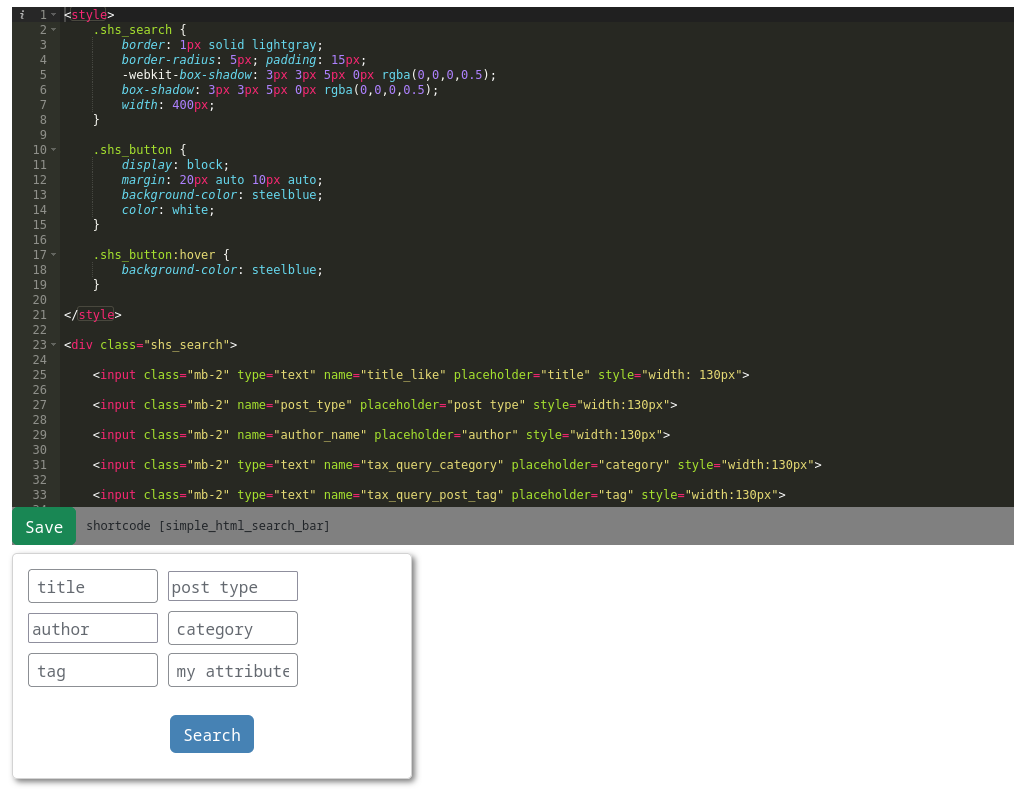
> the search bar

```html
<style>
    .shs_search {
        border: 1px solid lightgray; 
        border-radius: 5px; padding: 15px; 
        -webkit-box-shadow: 3px 3px 5px 0px rgba(0,0,0,0.5); 
        box-shadow: 3px 3px 5px 0px rgba(0,0,0,0.5);
        width: 400px;
    }
    
    .shs_button {
        display: block;
        margin: 20px auto 10px auto;
        background-color: steelblue; 
        color: white;
    }
    
    .shs_button:hover {
        background-color: steelblue;
    }
    
</style>

<div class="shs_search">

    <input class="mb-2" type="text" name="title_like" placeholder="title" style="width: 130px">

    <input class="mb-2" name="post_type" placeholder="post type" style="width:130px">

    <input class="mb-2" name="author_name" placeholder="author" style="width:130px">

    <input class="mb-2" type="text" name="tax_query_category" placeholder="category" style="width:130px">

    <input class="mb-2" type="text" name="tax_query_post_tag" placeholder="tag" style="width:130px">

    <input class="mb-2" type="text" name="meta_query_my_attribute" placeholder="my attribute" style="width:130px">

    <select inflateWith="post_type__my_post_type" name="title_like"></select>

    <input name="limit" value="5" hidden="">

    <button class="btn shs_button" onclick="quetzal_shs_ajax()">
        Search
    </button>
</div>

<script>simple_html_search_select_event();</script>
```
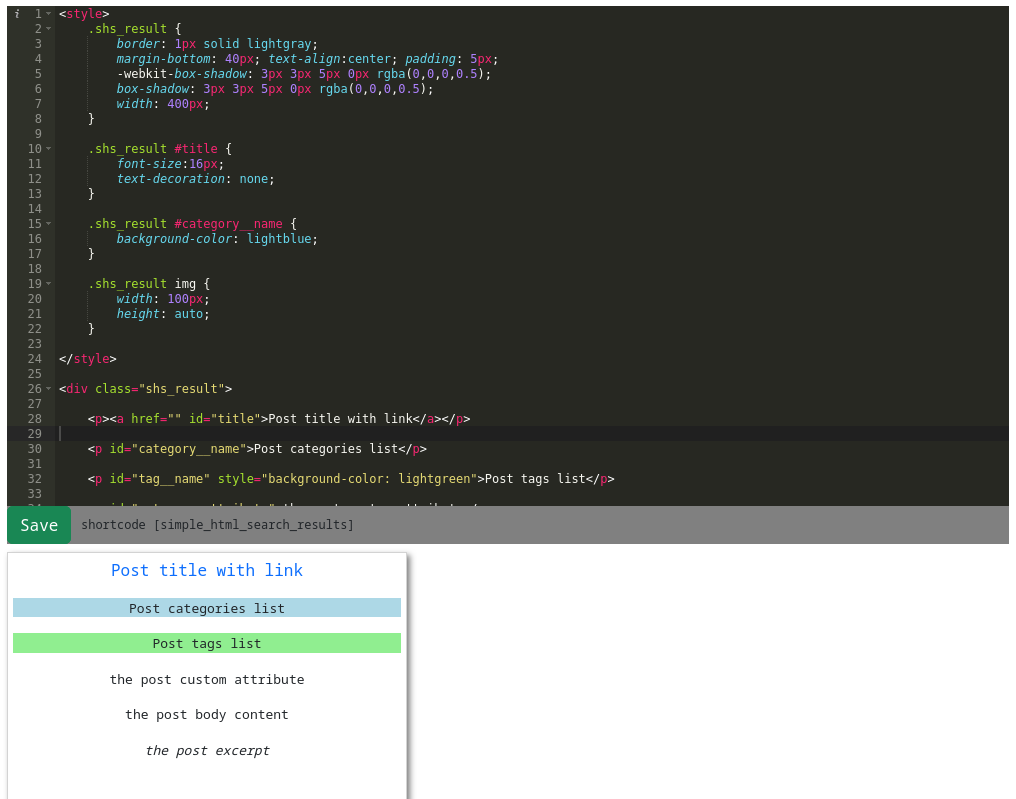
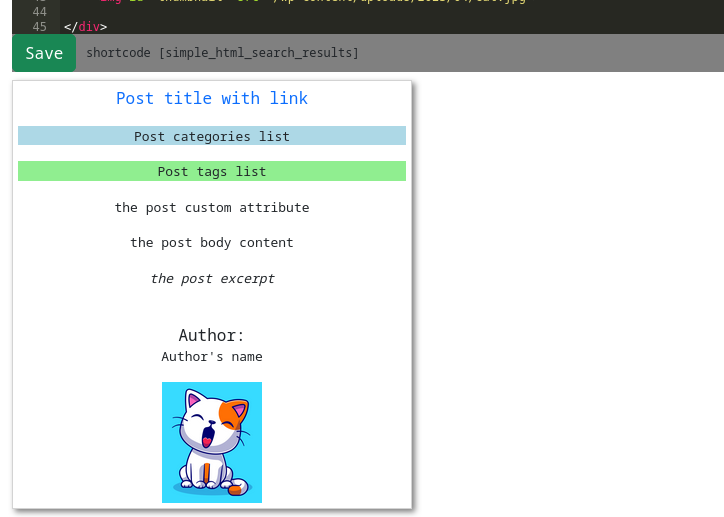
> the result block

```html
<style>
    .shs_result {
        border: 1px solid lightgray; 
        margin-bottom: 40px; text-align:center; padding: 5px;
        -webkit-box-shadow: 3px 3px 5px 0px rgba(0,0,0,0.5); 
        box-shadow: 3px 3px 5px 0px rgba(0,0,0,0.5);
        width: 400px;
    }

    .shs_result #title {
        font-size:16px;
        text-decoration: none;
    }

    .shs_result #category__name {
        background-color: lightblue;
    }
    
    .shs_result img {
        width: 100px;
        height: auto;
    }
    
</style>

<div class="shs_result">

    <p><a href="" id="title">Post title with link</a></p>

    <p id="category__name">Post categories list</p>

    <p id="tag__name" style="background-color: lightgreen">Post tags list</p>

    <p id="meta__my_attribute">the post custom attribute</p>

    <p id="body">the post body content</p>

    <p id="excerpt" style="font-style: italic">the post excerpt</p>

    <label>Author:</label>
    <p id="author_name">Author's name</p>

    <img id="thumbnail" src="/path/to/placeholder.jpg">

</div>
```

![Screenshot from 2023-04-24 17-08-08](https://user-images.githubusercontent.com/8449266/234041609-40554055-6f4e-431f-af09-5bc89cc357b6.png)

![Screenshot from 2023-04-24 17-11-22](https://user-images.githubusercontent.com/8449266/234041634-c58157b8-4fdb-4d11-9e0d-a7e4ca1d93bf.png)

![Screenshot from 2023-04-24 17-10-35](https://user-images.githubusercontent.com/8449266/234041636-40b0bb64-ee69-4637-9d5b-7d8582a81db1.png)