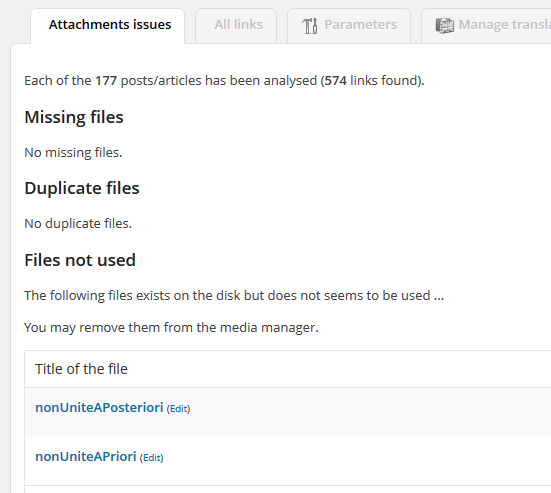
Issue detection
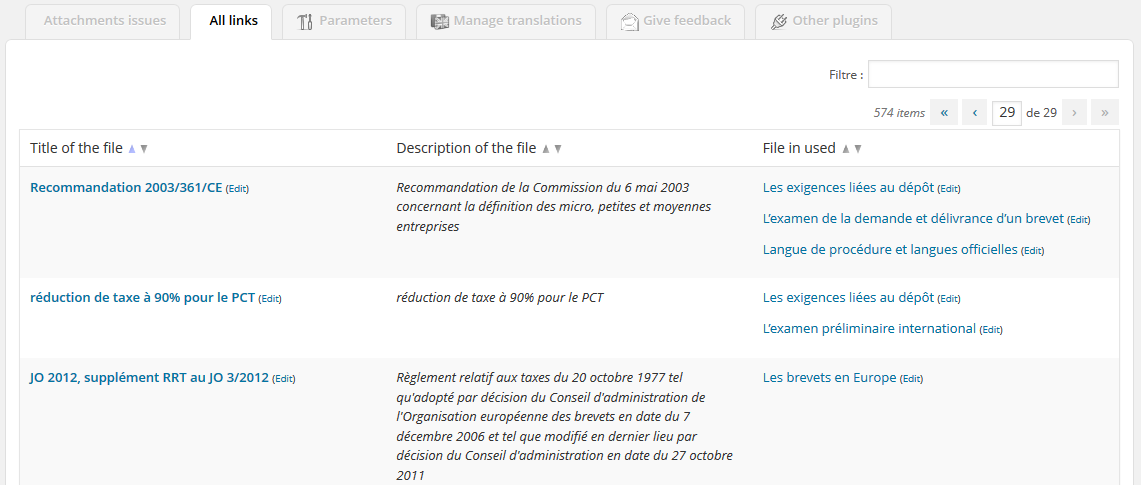
All links
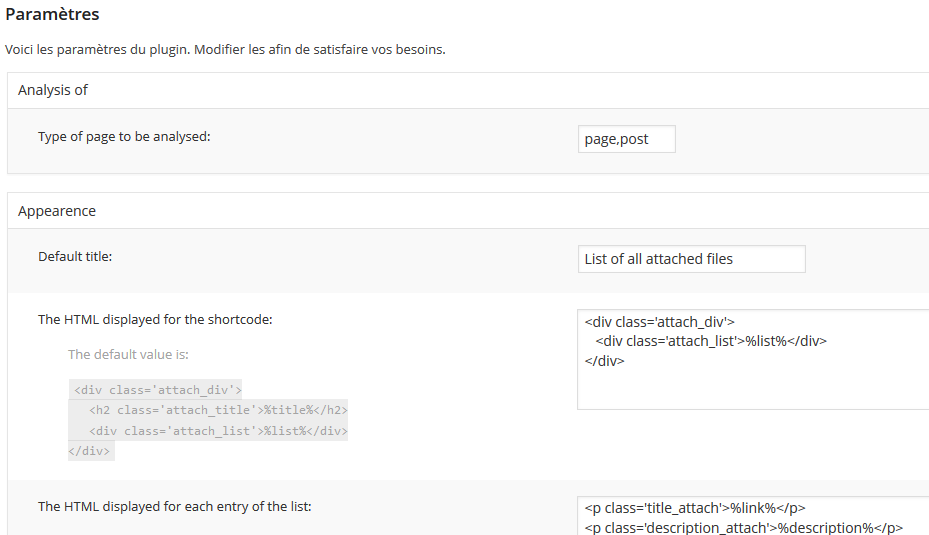
Parameter screen
Attachments Handler
The Wordpress page: http://wordpress.org/extend/plugins/attachments-handler
Last update: 2016-04-17
Number of download: 2383
";i:1;s:1178:"Enables the supervision of your attachement, detects duplicates, detects unused files.
You may also create a list of all attached file in the page or in the child pages by using the following shorcode [attach child=1 only_admin=1 title=’Title you want’ extension=’pdf,doc,png’].
Issue detection
All links
Parameter screen
Automatic Ban IP
The Wordpress page: http://wordpress.org/extend/plugins/automatic-ban-ip
Last update: 2016-04-17
Number of download: 4487
";i:1;s:1434:"Block IP addresses which are suspicious and try to post on your blog spam comments.
This plugin need that you create an account on the Honey Pot Project (https://www.projecthoneypot.org, free api) or that you install the Spam Captcha plugin.
In addition, if you want to geolocate the spammers your may create an account on (http://ipinfodb.com/, free api). Thus, you may display a world map with the concentration of spammers.
Spammers may be blocked either by PHP based restrictions (i.e. WordPress generates a 403 page for such identified users) or by Apache based restriction (using Deny from in .htaccess file).
The Apache restriction is far more efficient when hundreds of hosts sent you spams in few minutes.
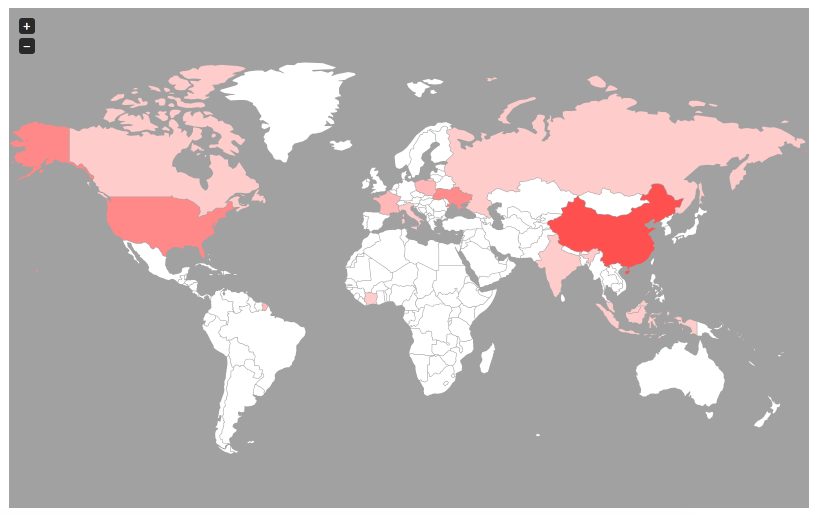
The world map of banned spammers

An extract of list of banned spammers
Enable Latex
The Wordpress page: http://wordpress.org/extend/plugins/enable-latex
Last update: 2016-04-17
Number of download: 8054
";i:1;s:1160:"Insert LaTeX formulas in your posts.
Just type [latex size=0 color=000000 background=ffffff]\\displaystyle f_{rec} = \\frac{c+v_{mobile}}{c} f_{em}[/latex] in your post to show the LaTeX formula.
You can configure:
Plugin developped from the orginal plugin WP-LaTeX.
This plugin is under GPL licence.
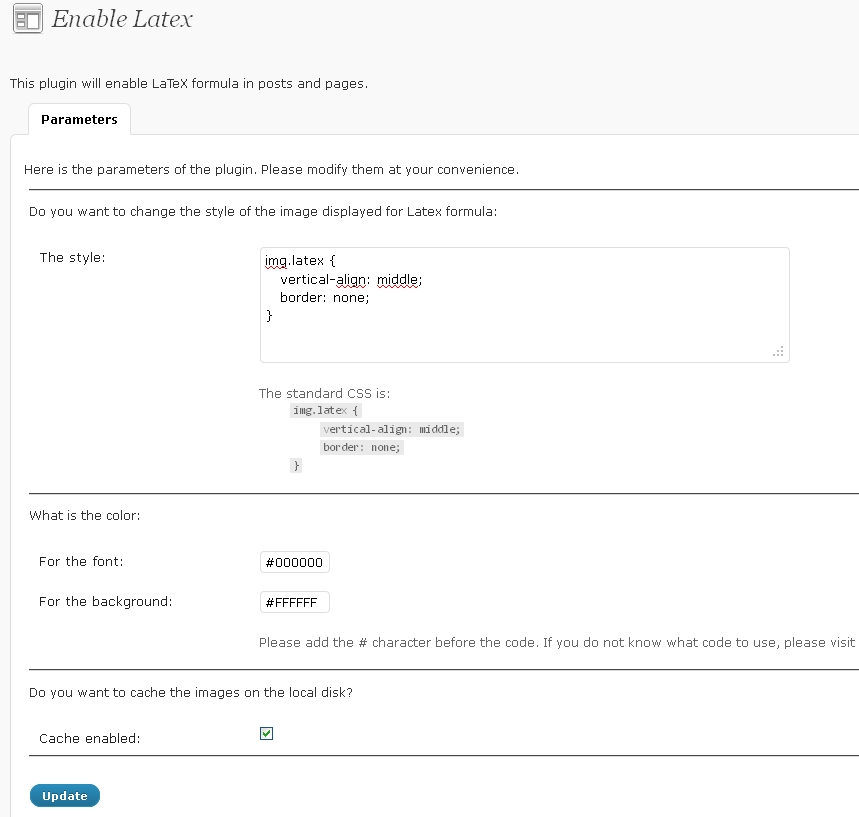
The configuration page of the plugin
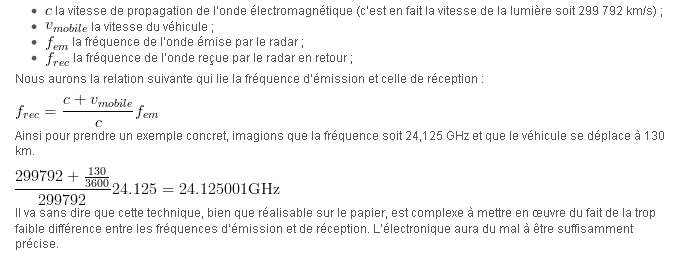
An example of LaTex formula in a post
Formatting correcter
The Wordpress page: http://wordpress.org/extend/plugins/formatting-correcter
Last update: 2016-04-17
Number of download: 3172
";i:1;s:1057:"The plugin detects any formatting issues in your posts such as “double space” or any other issues that you may configure and proposes to correct them accordingly.

Results page
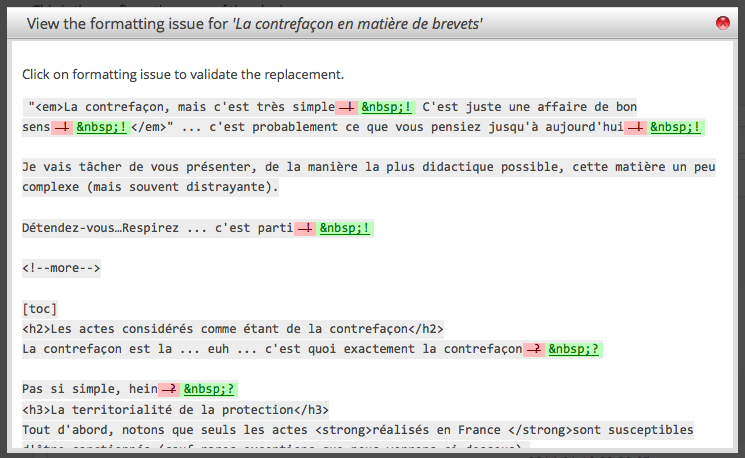
Modification page

Parameters page
Links synthesis
The Wordpress page: http://wordpress.org/extend/plugins/links-synthesis
Last update: 2016-04-18
Number of download: 2250
";i:1;s:1387:"This plugin enables a synthesis of all links and the creation of thumbnail for links in an article and retrieves data from them.
In this plugin, an index of all links in the page/post is created at the end of the page/post.
In addition, each link is periodically check to see if the link is still valid.
p>In addition, each link is periodically check to see if the link is still valid.
You may display a thumbnail of the URL when the user move its mouse over the link.
This plugin is under GPL licence.
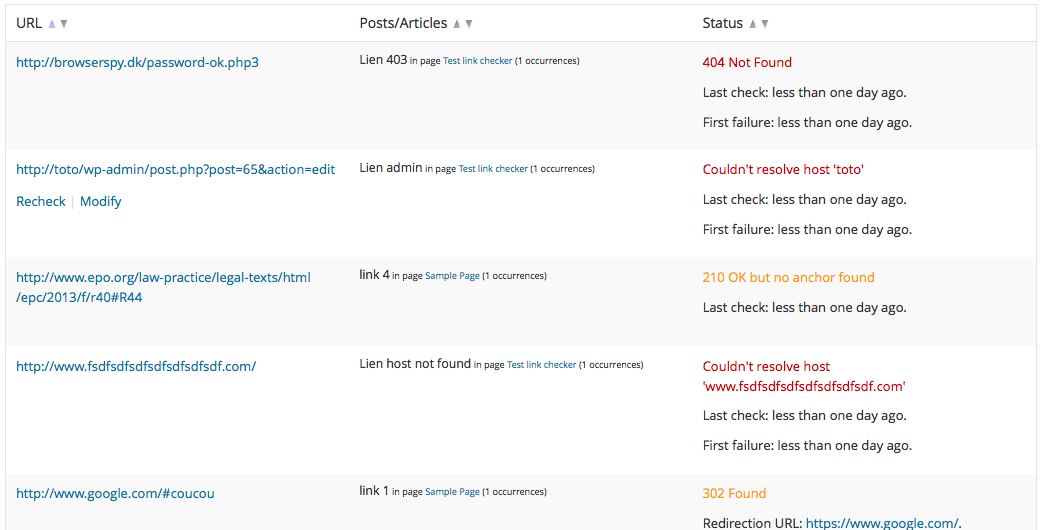
Links with issues
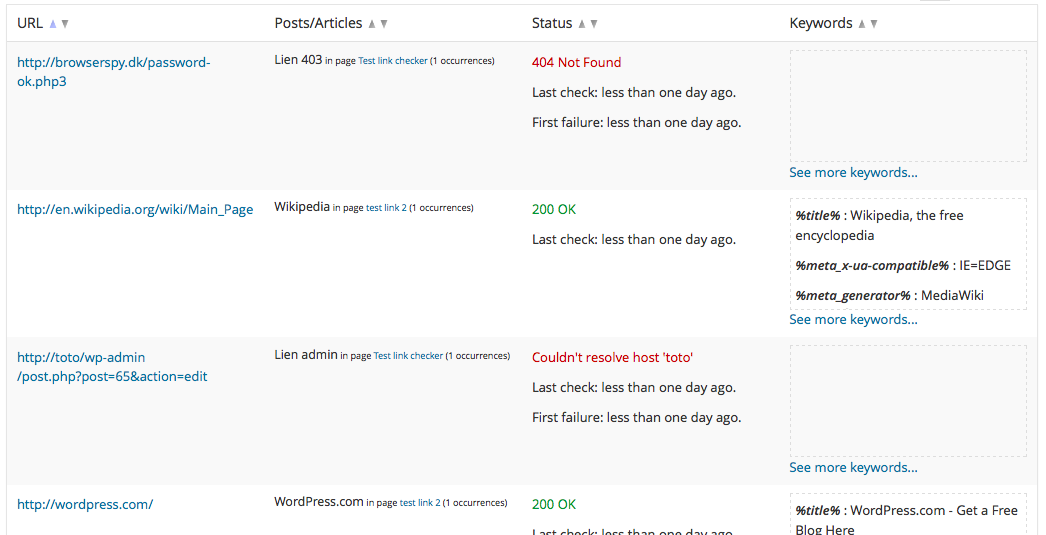
All Links
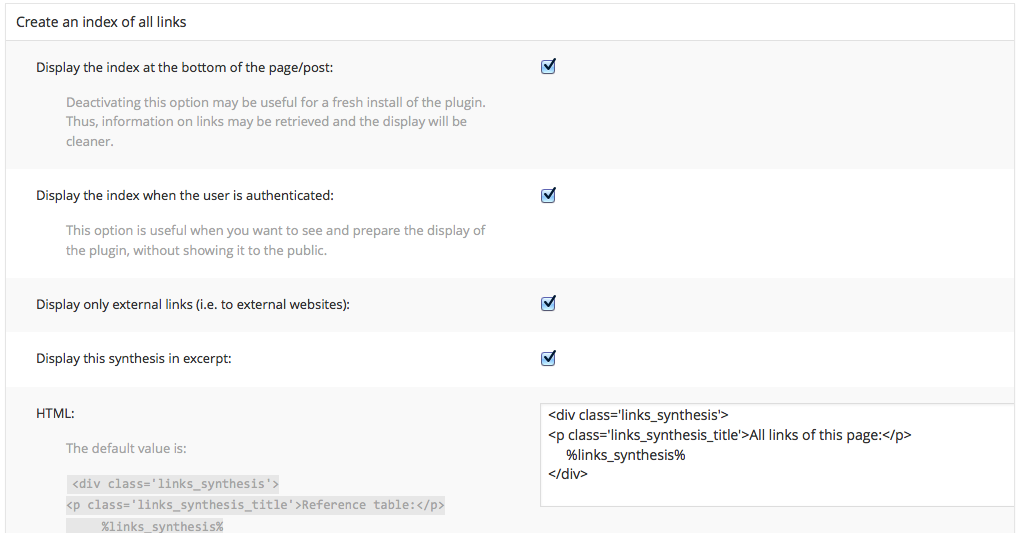
Some parameters
List Plugins
The Wordpress page: http://wordpress.org/extend/plugins/list-plugins
Last update: 2016-04-18
Number of download: 7889
";i:1;s:813:"Create a list of the active plugins in a page (when the shortcode [list_plugins] is found).
The list may contain:
Plugin developped from the orginal plugin WP-PluginsUsed.
This plugin is under GPL licence.

The configuration page of the plugin
Pages Order
The Wordpress page: http://wordpress.org/extend/plugins/pages-order
Last update: 2016-04-18
Number of download: 15803
";i:1;s:1443:"With this plugin, you may re-order the order of the pages and the hierarchical order of the pages.
Moreover, you may add this hierarchy into your page to ease the navigation of viewers into your website

The tree view in the admin dashboard

The configuration page

The tree view displayed in the front pages

The breadcrumb displayed in the front pages
Plagiary Search
The Wordpress page: http://wordpress.org/extend/plugins/plagiary-search
Last update: 2016-04-18
Number of download: 4006
";i:1;s:853:"Find websites that copy/paste your content without authorization.
In addition, you will avoid to include involuntary plagiarism in your articles.
This plugin is under GPL licence.

Examples of results with proximity images

Process screen
Update Message
The Wordpress page: http://wordpress.org/extend/plugins/update-message
Last update: 2016-04-20
Number of download: 6918
";i:1;s:1509:"Add an update box in posts.
This box can contain a message, for instance in order to point out that the post have been modified of to stress that the post in no longer up to date
The message can be configured direcly when editing a post. There is a box ‘Update message’ added on the left.
In addition, you may use a shortcode [maj update=’dd/mm/yy’ expire=’dd/mm/yy’]xxx[/maj]
Plugin developped from the orginal plugin WP Update Message.
This plugin is under GPL licence.
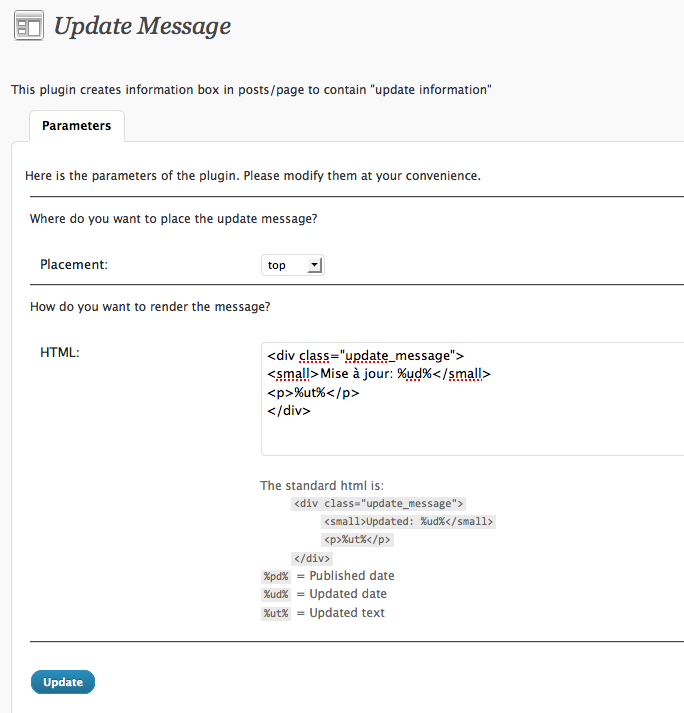
The configuration page of the plugin
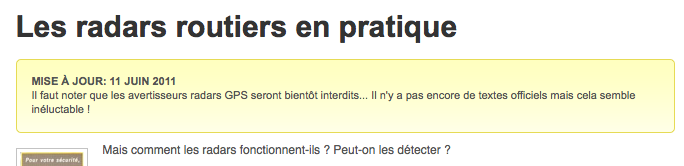
An example of an update box
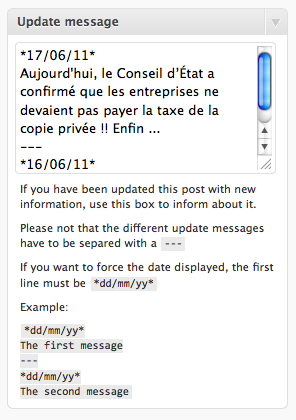
Configuration of the update box in a post