Compressed Emoji
===============
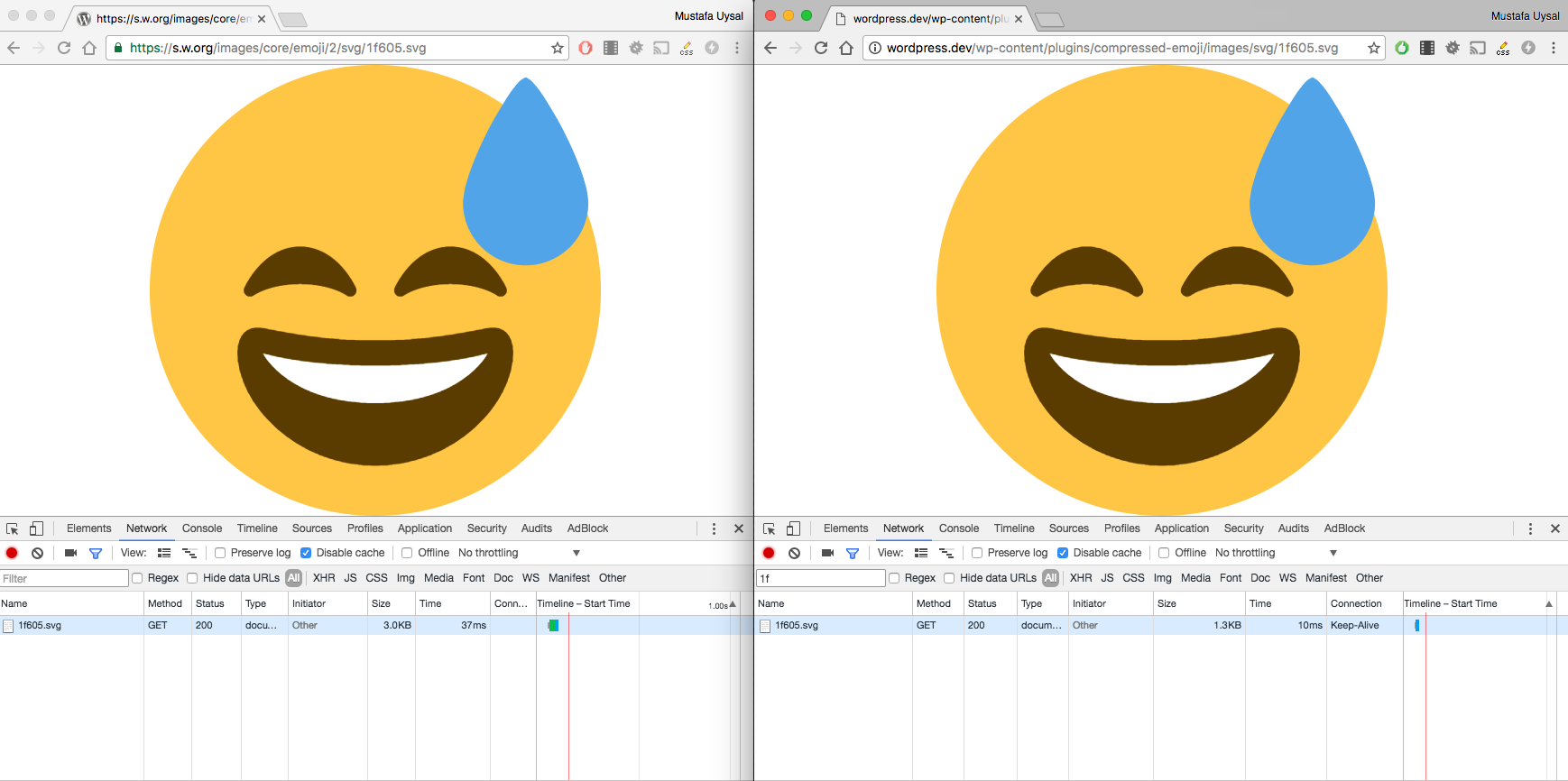
Same emoji, but compressed. It helps to serve emoji via your server.
## Description ##
__Origin Story__: WordPress emoji comes from `s.w.org` and they were not optimized well, Compressed Emoji was fixing that problem [(detail info)](https://wptavern.com/new-wordpress-plugin-serves-pre-compressed-emoji).
### Comparison ###
### Filters ###
* You can use `compressed_emoji_url` to modify png emoji url
* You can use `compressed_emoji_svg_url` to modify svg emoji url
### Credits ###
* [Adem Ilter](https://github.com/ademilter/) for inspire
* [svgo](https://github.com/svg/svgo) for emoji compression
* [twemoji](https://github.com/twitter/twemoji) for emoji
## Automated Updates ##
This repository includes a GitHub Actions workflow that automatically checks for new Twemoji releases monthly and creates a pull request with optimized emoji assets. The workflow:
* Fetches the latest release from [jdecked/twemoji](https://github.com/jdecked/twemoji/)
* Optimizes SVG files using SVGO
* Optimizes PNG files using pngquant and optipng
* Creates a pull request with the updated assets
The workflow can also be triggered manually from the Actions tab.
## Other Projects ##
If you like Compressed Emoji, then consider checking out my other projects:
* Magic Login Pro – Easy, secure, and passwordless authentication for WordPress.
* SessionQuota Pro – Limit concurrent sessions in WordPress.
* Stream Integration Pro – Upload, sync, restore, and manage WordPress videos with Cloudflare Stream.
* Easy Text-to-Speech – Convert written content into high-quality synthesized speech for WordPress.
* Handywriter – AI-powered writing assistant for WordPress.
* PaddlePress PRO – Paddle plugin for WordPress.
* WP Accessibility Toolkit – Tools to help make your WordPress site more accessible.
* Powered Cache – Caching and optimization for WordPress to help improve PageSpeed and Core Web Vitals.
## Installation ##
Extract the zip file and just drop the contents in the `wp-content/plugins/` directory of your WordPress installation and then activate the Plugin from admin's Plugins page.
## Frequently Asked Questions ##
= How can I use for CDN =
You can use `compressed_emoji_url` and `compressed_emoji_svg_url` filters for CDN replacement