TLDR: A Wordpress plugin that shows previews of links (clear, neat, simple) when visitors hovers links, it analyzes href links and tracks user behaviour on the links of your site
v.1.1
INDEX
Bright Links: analyzer and preview maker
What is Bright Links: analyzer and preview make
Settings (technical and behavioural)
This is an innovative WordPress plugin that adds neat and clear link previews to your site, the preview is shown whe the user passes over a link. It also allows you to track user behaviour on the links in your site and helps you to analyze the health of the links distributed in your articles, finding broken links
.
This plugin scans each link on your site pages, analyzes linked urls and retrieves data to build a nice detailed preview. With Bright Link Previews, your website links will be easier to read and navigate, as the previews will provide a clear description of each page and its content. Your users will love it.
Bright Link Previews is a great plugin to help make your website look more professional and organized.
Additionally, it provides a report with links that tracks clicks, hover movements and broken links, which helps you to understand which arguments of your links are followed by users, and fix broken links to keep your site working.
Bright Link Preview is also easy to customize, it's mobile friendly and allows you to manage link targets all over your site. You can apply the preview both on internal and external links, on your post contents and your comment texts. It comes with a built in cache for speed, different styles, and more to come.
With Bright Link Preview, you will be able to quickly customize your website and make sure that all links are functioning properly. The plugin is also extremely lightweight, so it won't slow down your website.
* some links (like facebook or instagram) could be read only partially because the owners of these sites block crawling calls like the ones used in this plugin
Log in to your Wordpress dashboard. Go to Plugins > Add New.
Click the "Upload Plugin" button near the top of the page. Select the plugin zip file (bright-links-plugin.zip) from your computer and click the "Install Now" button. Activate the plugin when prompted.
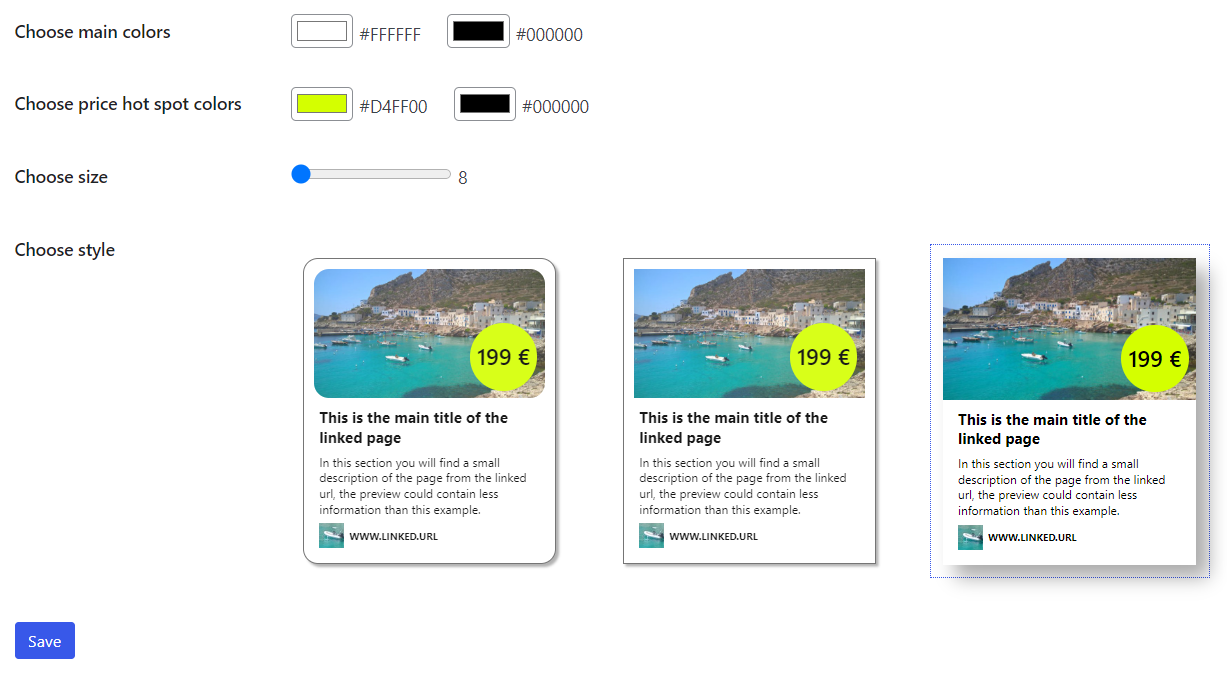
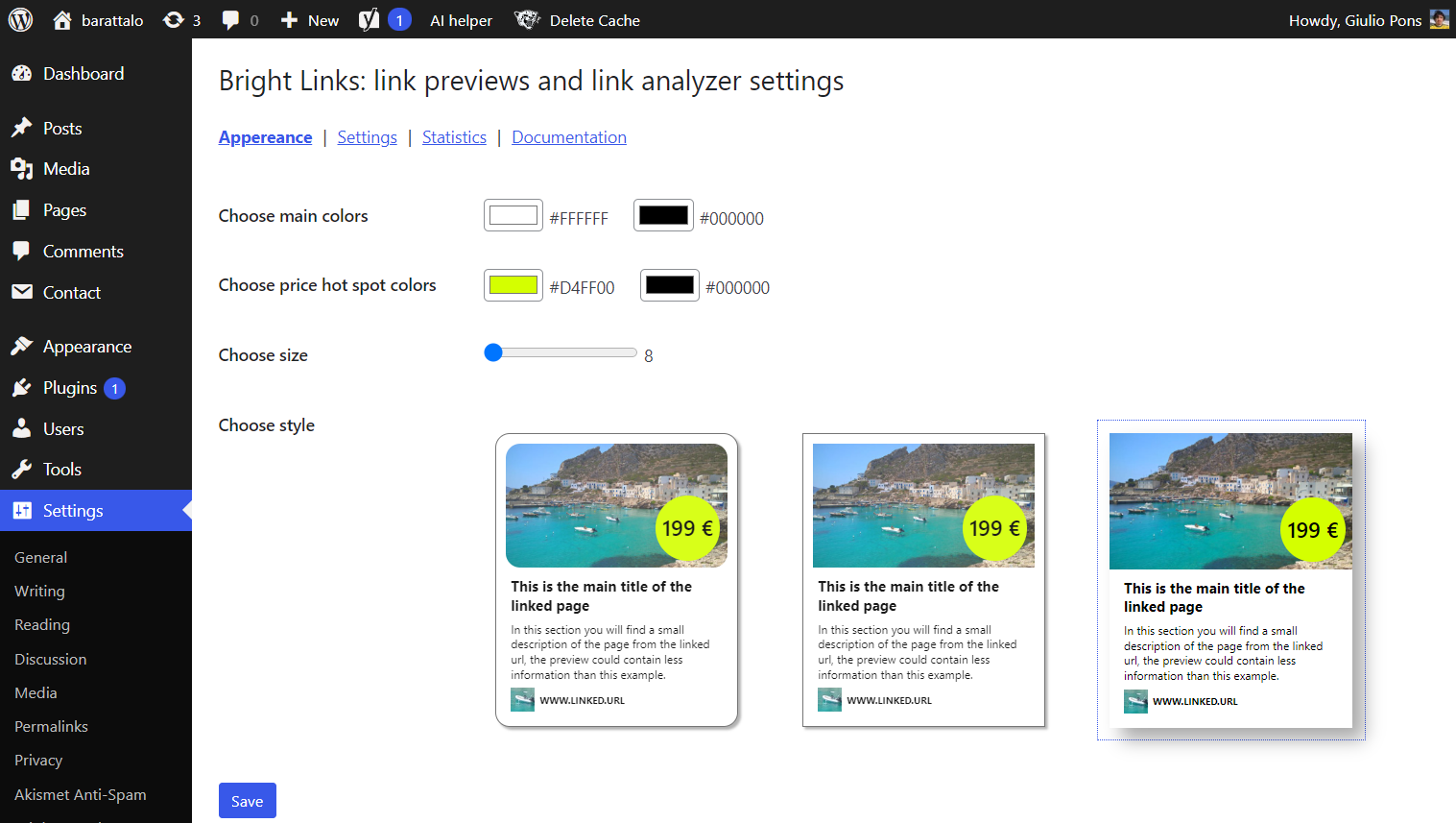
Go to Settings > Plugin > Bright Links. In the “Appearence” settings panel you file find these page:
Settings are divided into 4 sections available from the navigation links:
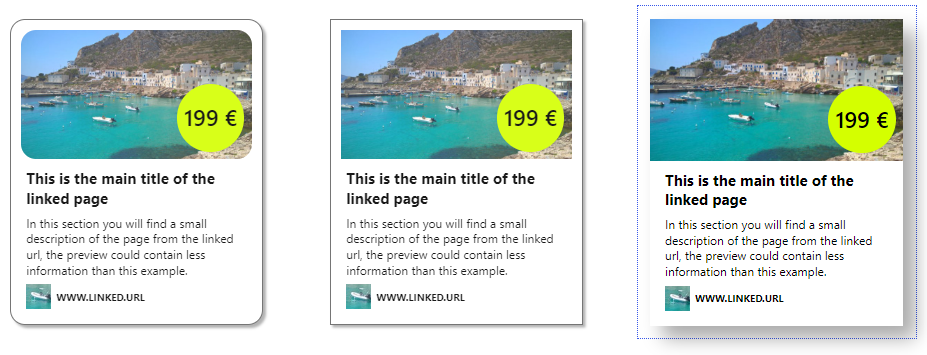
You can choose between different styles of pop up design (more to come!). The popup preview is just an example and different configurations of the parts of the link could happen depending on data found to build the preview popup. For example, the price appear only on links that point to ecommerce sites.
The plugin has been tested with links to Amazon site, Shopify sites and Woocommerce sites. The dimension of the image shown could also modify the popup template. For example if the image found in the link has a vertical orientation the image will appear on the left and text on the right.
You can customize the style of the pop up, including the preview size, and all the colors of the pop up. Change as preferred and press “Save”.
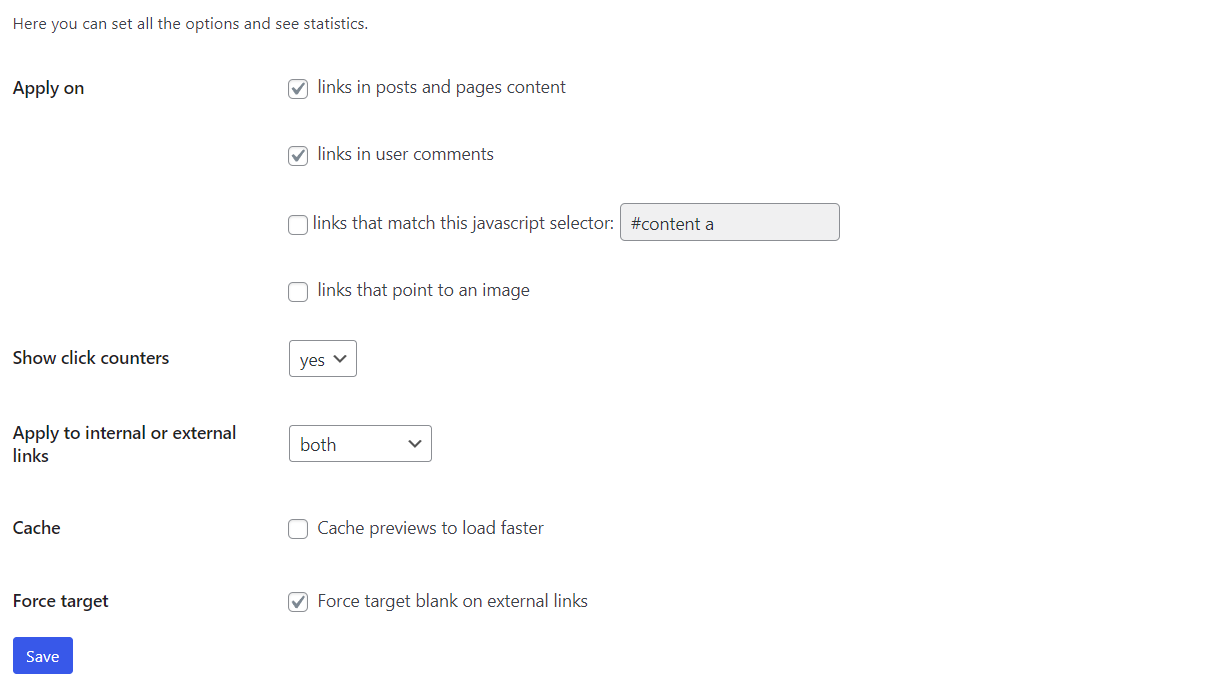
Choose if you want to apply the previews only on links in your posts and pages contents or also on links in comment texts written by users.
You can also specify a custom JavaScript selector to select the links where you want to apply the Bright link preview.
For example if your site has a sidebar with a widget with class name "favLinks" you can use “.favLinks a” to apply the link preview to those links in the sidebar.
If you want you can apply the preview also on links that contain images and point to that image. You should avoid these links if you have a plugin that already handles those links, for example with a gallery plugin that displays an overlay with the image on click events.
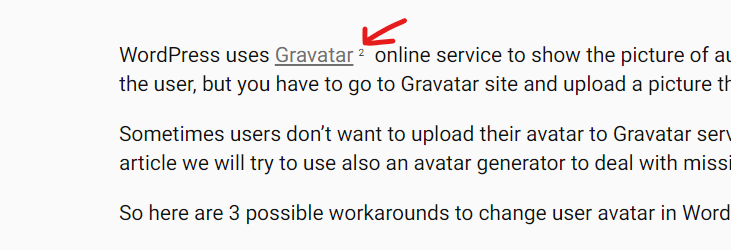
Bright Links keeps track of clicks and these click counters could be shown to the users that visit your site, as small labels. In this way users can quickly see which links in your text get more attention.
Here is an example of a link that has been clicked 2 times:
You can decide to apply the link preview popup only on internal links, or only on external links or both.
Internal links are links that point to pages of your website.
External links are links that point to pages of another website.
Bright Links plugin comes with a caching system that stores preview for 6 hours, allowing better loading times for users. Please, consider that cache is created while users move the cursor over a link and the first time it could be necessary to wait a few seconds before the preview appears. It depends on your server connection.
You can use the Bright Link Preview plugin also to force all external links to open in a new window. This can help to keep visitors on your site.
When you have completed the configuration “Save” your settings.
Navigate to your site, open an article that contains links, hover the mouse on desktop or tap links on mobile to see the Bright links preview in action.
The Statistics panel in the settings page, helps you track all the links and understand better the behaviour of your users that interact with your links.
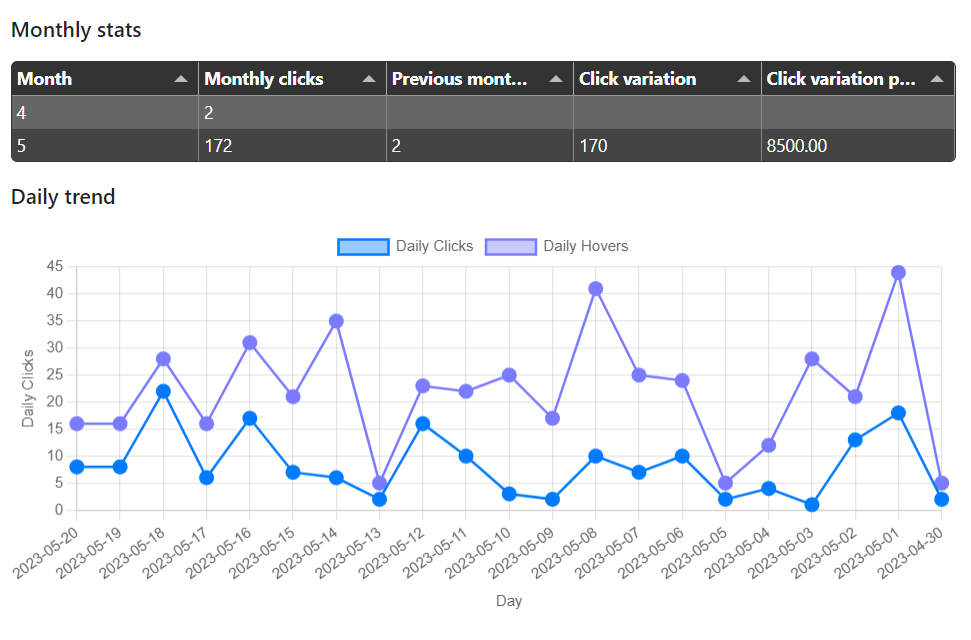
First you have a table with monthly data and a chart with daily trends. The table shows clicks for each month and incremental variation (also in percentage).
The chart shows the daily trend of clicks and hover movements on links.
You can see the last 30 days.
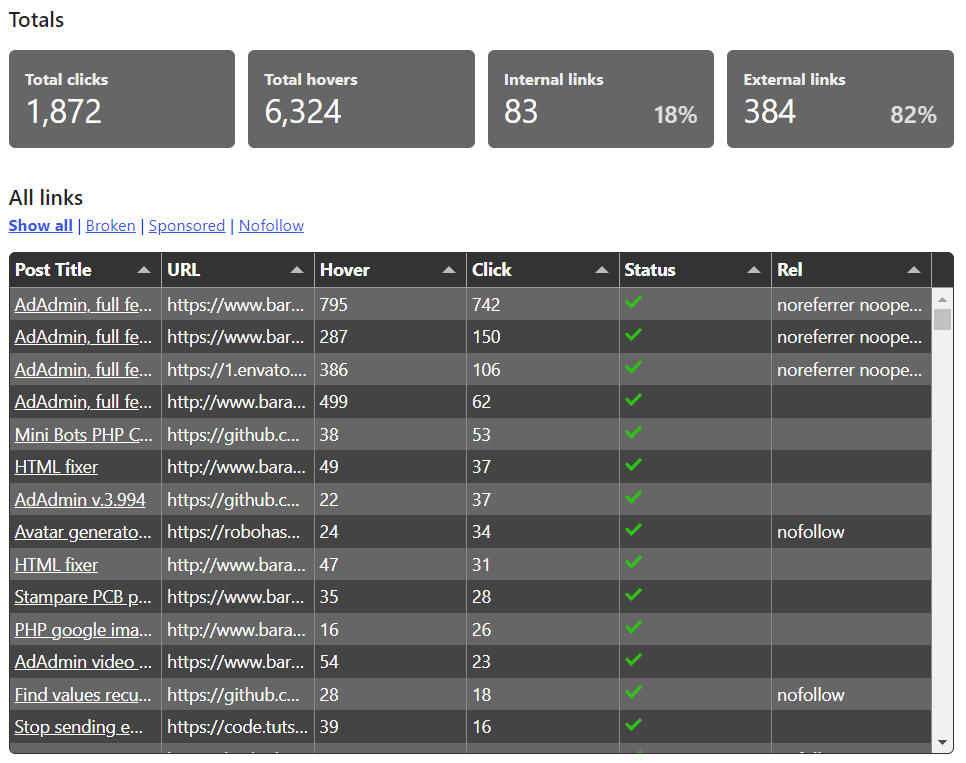
After the cart, a series of four blocks show Total clicks, Total Hovers from the installation of the plugin, and the total number of Internal and external links found.
The next list of all links show data for each link found in the site. The scan process could take a while depending on your site traffic. Infact, each time a user opens a page of your site the plugin scans that page. This scan mode avoids server overload.
Above the table there is also a filter navigation that lets you easily find the broken links, the sponsored and the nofollowed links.
A list of links appears which contains data about your links, the post id, the title of the post that contains the link, how many times each link has been clicked, and how many hover events happened. The last column of the table shows if the preview was fetched correctly or if some error happened.
You can use this report to find the links that are broken and need an update in your blog.
If you have any feature request, please contact the author at this email address: giulio@barattalo.it or on github /giuliopons
The Bright Link Previews plugin uses my Minibots PHP Class, which is free software available on Github here.
The tool used to show tables with data is Tabulator, a javascript library which is free to use.
The library used for charts is chart.js which is free to use.
The image used in preview settings is a photo of Levanzo island that comes from Binabina portfolio with the permission of the author.