Contact Form 7 Status
Follow bellow instruction to use Contact Form 7 Status plugin.
Installation:
contact-form-7-status.zip is the main plugin file that you need to upload. Please download if from your codecanyon account Or if you just downloaded the install-able plugin file only then you don’t need to do the above work. Just :
- Navigate to Plugins > Add New
- Click “Upload Plugin" and hit the "Choose File" button.
- Navigate to find the “contact-form-7-status.zip" file on your computer and click “Install Now" button.
- The plugin will be uploaded and installed.
- Activate the newly installed plugin by going to Plugins and activate the installed plugin.

Status Setting with a Form:
"Contact Form 7 status" plugin is a extension for Most popular form plugin "Contact Form 7". You should set our plugin with "Contact Form 7". Remember, you have to install "Contact Form 7" for use this plugin. For setting you should go Contact > choose a form & open form for edit. In bottom of each form you can see settings option for "Contact Form 7 Status". See screenshot.
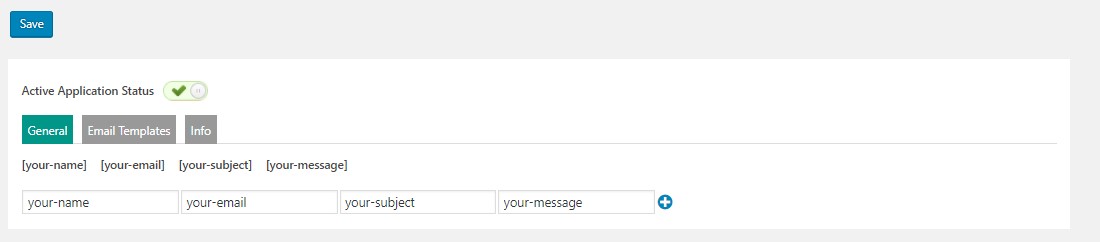
General Setting
-
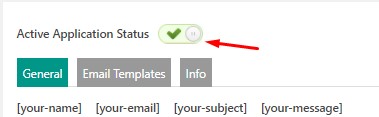
Active Status
For active status on each form, active status button to hit "Active Application Status" button.
-
Delete:
You can delete each column with hover on each field and click to cross button.
-
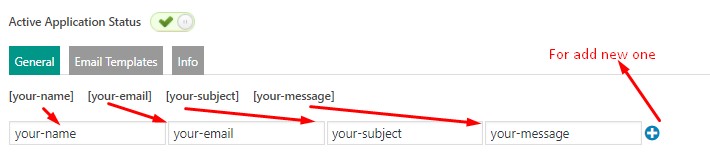
Add
You can add new Column or Edit existing column. For view your applicant record use form field name as column name. See screenshot for more clear.
Email Templates:
By default you can set 3 types of email tempalte like 1. In Progress, 2. Completed & 3. Rejected. This email will be sent to your applicant email address when you change there application status from your admin. Remember, you have to set any one email field in your form which submit via applicant.

Info:
In Information tab you can see some basic information for plugin, like shortcode for front-end use where applicant can see there application current status.
How can i see application status & change application status?
For view application status you have to go "Application Status" from your deshboard. Here you can see contact form list were you set "Active application status" as active. Click action button from list. Here you can see application list for specific form.
For change status click on "status" from "status" column. After that you can see details information about single application and you can set & change application status. When you cange status, email will be sent automatic with saved template.

How can i send email for missing information?
Admin can send mail for missing information. If you change application status as "missing information" you can see a "missing information" field in bottom where you can set message with missing infromation. When you hit update, email willbe send to applicant email. See screenshot...

###End###